Trong trường hợp thiết kế vector, có thể xuất ra định dạng pdfphẳng (flatten pdf), không chứa thành phần raster, không transparent.
Khuyến nghị sử dụng các định dạng hình ảnh raster như: tiff, jpg/jpeg cài đặt chất lượng cao nhất (nén tối thiểu).
Màu sắc
Hãy sử dụng không gian màu phổ biến như sRGB hoặc Adobe RGB và giữ nguyên profile màu khi xuất file.
Hãy xem file in của bạn trên một màn hình được chỉnh độ sáng vừa phải.
Nếu không quen với các thiết lập quản lý màu, cứ gửi file hiện có để Bát Súp Mực kiểm tra và tư vấn.
Độ phân giải
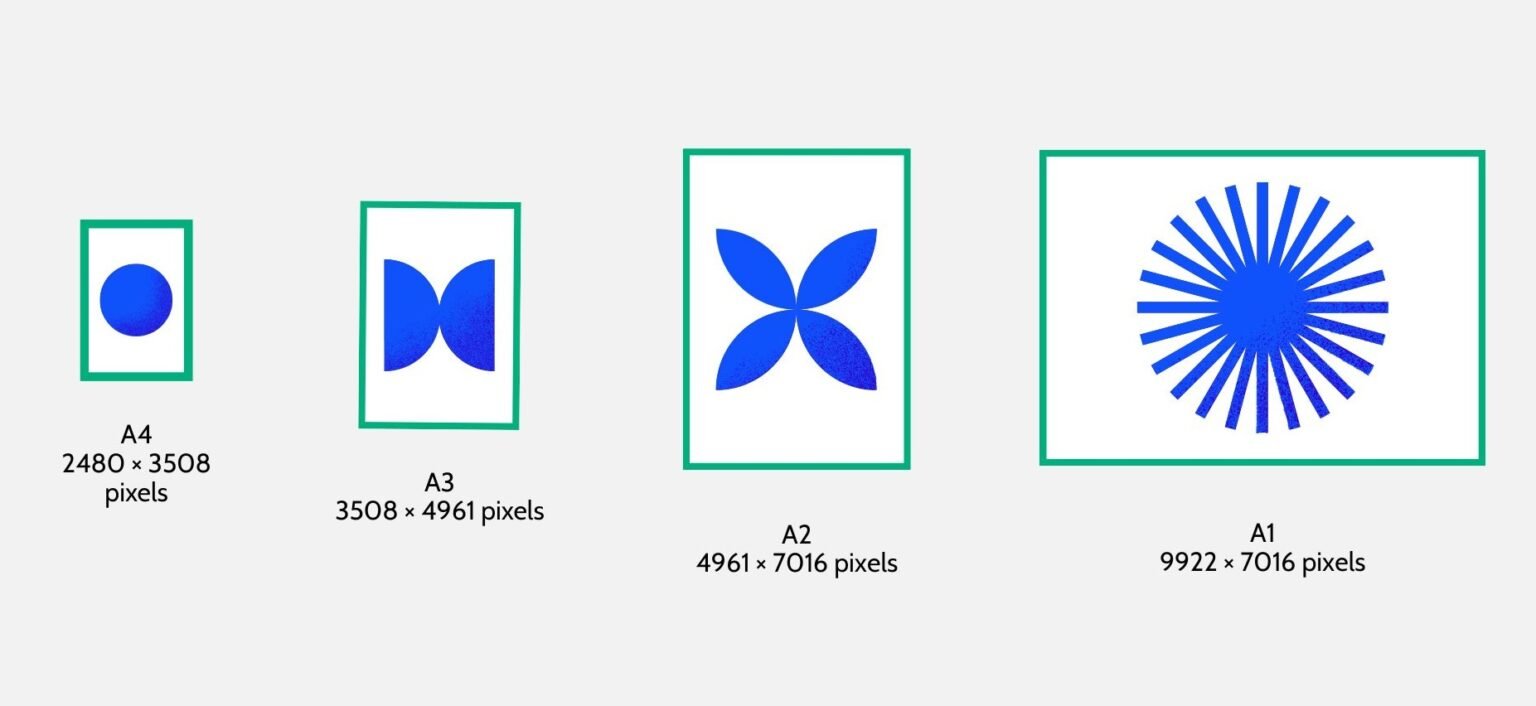
Kích thước giấy với độ phân giải khuyến nghị 300dpi
Bản in nên ở độ phân giải 300ppi (hoặc 600ppi) để đảm bảo chất lượng.
Độ phân giải từ 240ppi là mức có thể chấp nhận được.
Mức thấp hơn có thể khiến bản in mờ hoặc vỡ nét.
Tránh phóng to (resize) hình ảnh nhỏ lên độ phân giải cao hơn bằng các công cụ thông thường. Việc này tuy làm cho bản in đủ độ phân giải nhưng sẽ bị mờ nhòe.
Dàn trang
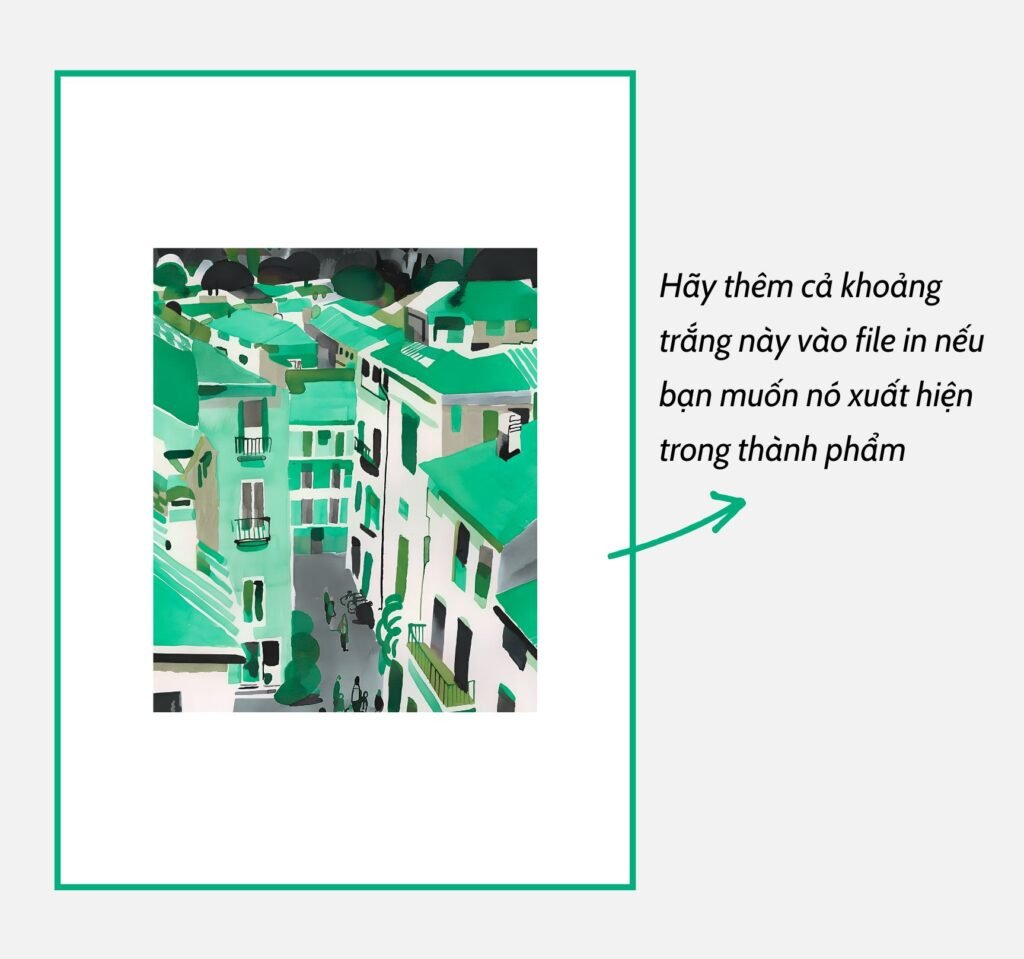
File gửi in cần được thiết kế sẵn theo đúng khổ in (tỉ lệ dài/rộng) bạn đặt (ví dụ A4, A3, 50cmx70cm…), bao gồm cả phần hình ảnh, viền hoặc khoảng trắng và vị trí bố cục mong muốn trên trang in.
Chúng tôi in theo toàn bộ canvas/layout của file được cung cấp, không tự động căn chỉnh hoặc thêm khoảng trắng ngoài thiết kế gốc.
Chú thích
Bạn nhớ lưu ý gửi đủ số lượng file cho đơn hàng. Hãy ghi chú các thông tin tương ứng:
Tên file – Kích thước – Loại giấy
để Bát Súp Mực dễ dàng thực hiện chính xác nhé!
Preparing files for your print
File format
We recommend using raster image formats such as .tiff, .jpg, or .jpeg exported at the highest quality setting (minimal compression).
For vector-based artwork or graphic designs, files can be exported as flattened .pdf files without any raster elements or transparency effects.
File Size & Resolution
Recommended Resolution by Print Size
For the best print quality, files should ideally be prepared at 300 PPI at the final print size.
300 PPI is recommended for optimal results.
Resolution of approximately 240ppi is generally acceptable.
Lower resolution may result in soft, blurry, or pixelated prints.
Do not resize low-resolution images simply to meet the required print resolution. Increasing pixel dimensions does not restore missing detail and may result in a blurry or soft-looking print.
Layout
Files should be prepared in the exact final print size and aspect ratio you intend to order (such as A4, A3, etc.), including all artwork, borders, blank space, and intended placement within the page layout.
Please include any desired white borders or blank space in the file itself if you want them to appear in the final print.
We print according to the complete canvas/layout provided in the file and do not automatically reposition artwork or add additional margins outside the original design.
Other notes
Please make sure to send the correct number of files for your order.
To help Bát Súp Mực process your order accurately, kindly include the following information for each file: